Technology · How it works
The Wii sensor bar never sensed a thing. The real eye was in your hand all along
The slim bar by the TV is just ten infrared lights. The clever part is a tiny camera in the remote, which is why two candles can stand in.
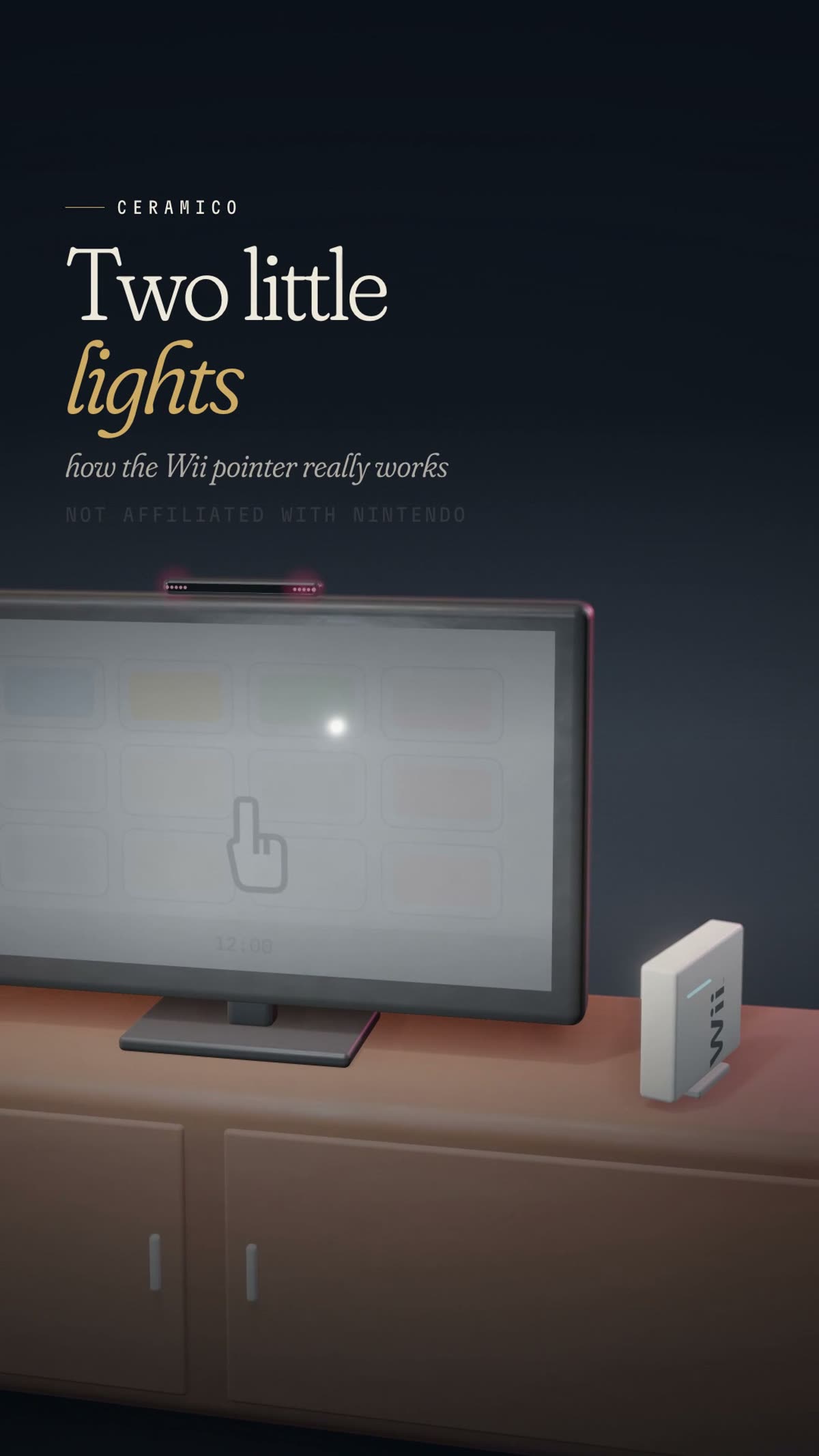 Watch the film · 0:53
It sat by the television with “sensor” in its name. It never sensed a thing.
Pick up a Wii Remote, aim it at the screen, and a cursor follows your hand. The natural guess is that the slim bar by the TV is watching you. It isn’t. Nintendo calls it the Sensor Bar, but when Nikkei Electronics took one apart in November 2006, it reported that, despite the name, there were no sensors of any kind inside. What the bar holds is light.
The sensing happens at the other end of the room, in your hand. Once you know that, the rest of the design falls into place, including one of Nintendo’s odder troubleshooting tips: watch out for candles.
By the numbers
- Infrared lights on each side of the bar
- 5
- Infrared lights in total
- 10
- Sensors found inside the bar
- 0 per a 2006 teardown
- Bright dots the remote looks for
- 2
- Remote’s image sensor
- CMOS supplied by PixArt Imaging
Light counts are from Nintendo’s Wii support page. The teardown findings, including the sensor supplier, are from Nikkei Electronics (November 2006), not from Nintendo.
A bar full of light
Nintendo’s own description is brief. “There are five infrared lights on the front of each side of the Sensor Bar,” its Wii support page says. “While invisible to the naked eye, they can be seen if viewed through an LCD screen.” Nikkei’s teardown found the same thing from the inside: just five infrared LEDs built into each end.
So the bar is two small clusters of lamps, ten in all, glowing with light people can’t see. Nintendo’s support page for the later Wii U spells out what they are for: they exist “to help the Wii Remote triangulate its position.”
That phrase is the clue. The bar isn’t the thing doing the looking. It is a target, a pair of fixed landmarks for something else to look at.
The camera in your hand
That something lives in the tip of the remote. Nintendo’s consumer help pages never use the word “camera” (they refer to “the pointer lens”), but the company’s patents describe the arrangement plainly. An infrared filter at the front “passes only infrared light entering from the front of the controller,” and behind a lens sits an image-capturing element that, the patent says, may be “a CMOS sensor or a CCD.”
Nikkei’s teardown identified the part in the shipping remote: a CMOS image sensor supplied by PixArt Imaging of Taiwan. In a May 2006 press release, PixArt described its “Multi-Object Tracking™ engine.”
In plain English, the remote carries a tiny infrared camera. Its filter shuts out ordinary visible light, and the sensor bar shows up as two bright dots. One Nintendo patent puts it formally: the targets “appear as high brightness areas” in the captured image. Nintendo’s support page makes the same point from the troubleshooting side. “If three or more dots appear,” it warns, “there is an additional light or heat source being picked up by the Wii Remote.”
Stray light was a known nuisance. In Nintendo’s Iwata Asks interview about the remote, one of the team noted that “the controller would react to fluorescent light.”
The film · 0:53
Two Little Lights
A clay Wii sensor bar is opened up to reveal two clusters of infrared lights, while a tiny camera in the remote does the real work.
Watch more on Instagram Follow CERAMICO
Read the transcript
The Wii sensor bar doesn't sense anything. It's just two clusters of lights, five on each side. You can't see them, because they glow infrared. The real sensor is in your hand: a tiny camera in the tip of the remote. It sees the bar as two bright dots. Point left, and the dots slide right. The Wii turns that shift into your cursor. The gap between the dots tells it roughly how far away you are. And the tilt of the line between them shows how you've twisted your wrist. Which is why Nintendo warns that candles and fireplaces can confuse it. A flame gives off infrared too, just like the bar. Swap the bar for two candles, and people have shown the pointer still works. Because the thing on your TV was only ever two little lights.
Animated model, illustrative and not to scale.
Two dots, three answers
Here is the tidy part. Those two dots are enough to answer three different questions, and Nintendo’s patents describe all three.
Where are you pointing? Swing the remote one way and the dots slide the other way across the camera’s view: point left, and they drift right. In the patents, the remote doesn’t work out the cursor on its own. Its image-processing circuit reports the coordinates of the two markers, and the console, which the patent calls the game apparatus, calculates the pointed position from them. So it is the Wii, not the remote, that turns the shift into your cursor.
How far away are you? The gap between the two dots changes with distance. One patent describes finding the distance between the controller and the markers from the distance between the two marker points in the image; another works from the size of the image. Nikkei’s teardown was suitably modest, saying direction and distance could be roughly estimated from the two points’ positions and spacing.
How have you twisted your wrist? Draw a line between the dots. Roll the remote and that line tilts, and the patent describes reading the controller’s rotation from the direction connecting the two marker points. It also notes that roll can be found using the remote’s acceleration data, so the motion sensor lends a hand.
One caution: patents describe possible designs, not necessarily shipped firmware, and how each game uses distance and twist varies. The core idea holds all the same. The remote isn’t sensing the TV. It is taking pictures of two lights and doing geometry.
The remote isn’t sensing the TV. It is taking pictures of two lights and doing geometry.
Why a candle can stand in
Knowing that the remote hunts for infrared, Nintendo’s advice starts to read differently. Its Wii help page tells players to check for bright light sources near the TV, including sunlight, and to avoid sources of infrared light in the gameplay area, such as electric, propane or kerosene heaters, stoves, and “flames from fireplaces or candles.” The Wii U page adds reflective surfaces near the TV that may bounce other light around.
A flame gives off infrared, just as the bar’s lights do. To a camera that sees only infrared, a candle is one more bright dot.
Which invites the obvious experiment, and people have been running it since the console was new. In December 2006, Tech Digest, citing a video from Joystiq, reported that the bar “can be easily replaced by two standard wax candles,” “with no noticeable change in performance.” In 2025, the Daily Dot wrote up a TikTok demonstration in which “a pair of candles works just as well as the real sensor bar.” And in 2026, a How-To Geek writer who turned an old Wii Remote into a computer mouse found a catch: “the flickering flames can cause the cursor to jitter.”
Nintendo doesn’t document the trick. The evidence is home demonstrations reported in the press, and reliability is reported to vary. In our film, the clay candles stand beside the screen, never on top of it.
The smart end of the room
There is a quiet logic to the split. The piece by the TV is about as simple as electronics get: two clusters of lamps that need to do nothing but glow. Everything clever, the filter, the lens, the image sensor and the circuit that tracks the dots, travels with the player, while the console turns the coordinates into a pointer.
That is why the name has always been a little backward. The bar is the landmark; the remote is the observer. The one sensor that matters faces the bar from across the room, reading two points of invisible light and working out where you are aiming, how far back you stand and how you have turned your wrist.
Take the bar away, give the camera two other warm, bright points, and by several accounts it carries on. Because the thing on your TV was only ever two little lights.
Sources
Every line in the film was checked against these sources by an independent fact-checker before publication. Company claims are attributed to the company that made them.
- Nintendo Support: How to check functionality of the Sensor Bar (Wii)
- Nintendo Support: Wii Remote not working, or cursor not responding properly (Wii)
- Nintendo Support: How to check functionality of the Sensor Bar (Wii U)
- Nintendo Support: Wii Remote not working or syncing correctly (Wii U)
- Nintendo: Iwata Asks, Wii Remote
- Google Patents: US7786976B2 (Nintendo)
- Google Patents: US8157651B2 (Nintendo)
- Nikkei Electronics (xTECH): Wii Remote teardown, November 2006
- Engadget: The company behind the Wii Remote
- Tech Digest: Nintendo Wii sensor bar and candles
- Daily Dot via Yahoo Tech: Fun fact about the Nintendo Wii sensor bar
- How-To Geek: How I turned my old Wii Remote into a computer mouse
Updates and corrections
- First published.
See an error? Tell us. We correct promptly and say what changed. Our corrections policy.
Disclosure
This is an independent explainer. CERAMICO is not affiliated with, sponsored by, or speaking for any company, brand, agency or person named in this story, and nothing here is official.
Claims are attributed. Where a figure or description comes from a company or an expert, we say so. CERAMICO is not affiliated with, or endorsed by, Nintendo. Brand names identify the products only. The candle demonstrations described are third-party reports, not Nintendo guidance. The animation is an illustrative model, not to scale.
Animations are illustrative. Our films use clay-style 3D models. They are not to scale and are simplified to show how something works.
Trademarks and product names belong to their owners and are used only to identify what we are describing.
Keep reading
The penalty for turning left: how UPS taught its routing software to put a price on risk
UPS trucks are famous for not turning left. The truth is subtler: UPS built software that makes a left cost more, then lets the math decide.
The loom that stopped itself: how a weaving machine gave Toyota its andon cord
Toyota lets any line worker call a stop. The reason goes back to a carpenter’s son, a snapped thread, and a loom built to notice when something went wrong.

The Dreamliner’s missing window shade is a chemical reaction you switch on
There is no blind at a 787 window seat, only a button. Behind it sits a thin gel that turns dark when a small voltage moves its electrons, and clears again the moment the power stops.